
Small businesses are frequent targets for cybercriminals because they often lack robust security measures and hold valuable client data. Although IT security experts are able to manage the load of blocking thousands of cyberattacks targeting larger businesses, most SMBs just don’t have the resources or know-how to manage cybersecurity. This, of course, is why small businesses are targeted four times as often as large corporations.
But it’s not all bad news. Based on frontline expertise from cybersecurity professionals, this post reveals the five most prevalent cybersecurity threats facing small businesses today—plus five actionable steps to help defend your organization from cybercriminals.
Table of Contents
- 1. Compromised POS Devices
- 2. Employee Access Risks
- 3. Human Error
- 4. Sophisticated Cybercrime-as-a-Service
- 5. DDoS Attacks
- Action Plan: 5 Steps to Protect Your Business
5 Cybersecurity Threats Businesses Face
Understanding where these threats originate, the damage they can cause, and the defenses available is the first step toward building a resilient organization. The following breakdown highlights five of the most pressing cybersecurity threats businesses face today and what can be done to stop them.
| Threat | Entry Point | Impact | Line of Defense |
|---|---|---|---|
 |
Physical and network access to the terminal | Mass card data theft, fines | EMV chip readers and walled-off network |
 |
Stale credentials, no-access audits | Data exfiltration, internal fraud | Role-based access and offboarding protocols |
 |
Inbox or clicks via malicious links and messages | Full network and data compromise | Security awareness training and email filters |
 |
Email, fake sites, malware downloads | Professional-grade, hard to detect attacks | Managed security and threat monitoring |
 |
Botnet traffic overwhelms server | Downtime, lost revenue | Distributed servers and traffic filtering |
1. Compromised POS Devices
The Problem: Small terminals, massive exposure
Point-of-sale terminals are a prime target because they sit at the intersection of customer payment data and often lax physical security. Attackers use two main tactics: physically installing “skimmer” hardware on card readers and deploying RAM-scraping malware that captures card data the moment it’s decrypted during a transaction.
2. Employee Access Risks
The Problem: Too much access, too little oversight
When employees have unrestricted access to data and systems beyond what their role requires, the damage from any internal incident—intentional or not—is exponentially greater. Many small businesses operate with a “everyone can access everything” default, skipping role-based permissions, regular access audits, and offboarding protocols. That convenience becomes a serious liability the moment an employee is terminated, resigns under bad terms, or simply makes a careless mistake with sensitive data.
3. Human Error
The Problem: One click can cost you everything
Your most sophisticated firewall can’t protect you from a well-meaning employee clicking the wrong link. Social engineering attacks, such as phishing emails, fake invoices, and spoofed login pages, are designed to exploit human trust and urgency. It only takes one click from one person to hand an attacker the keys to your entire network.
Surprisingly, 60% of data breaches trace back to human error, and most start with a single click on a malicious link. All it takes is one successful attempt to compromise your company’s data and your clients’ sensitive information.
4. Sophisticated Cybercrime-as-a-Service
The Problem: Cybercrime has gone corporate
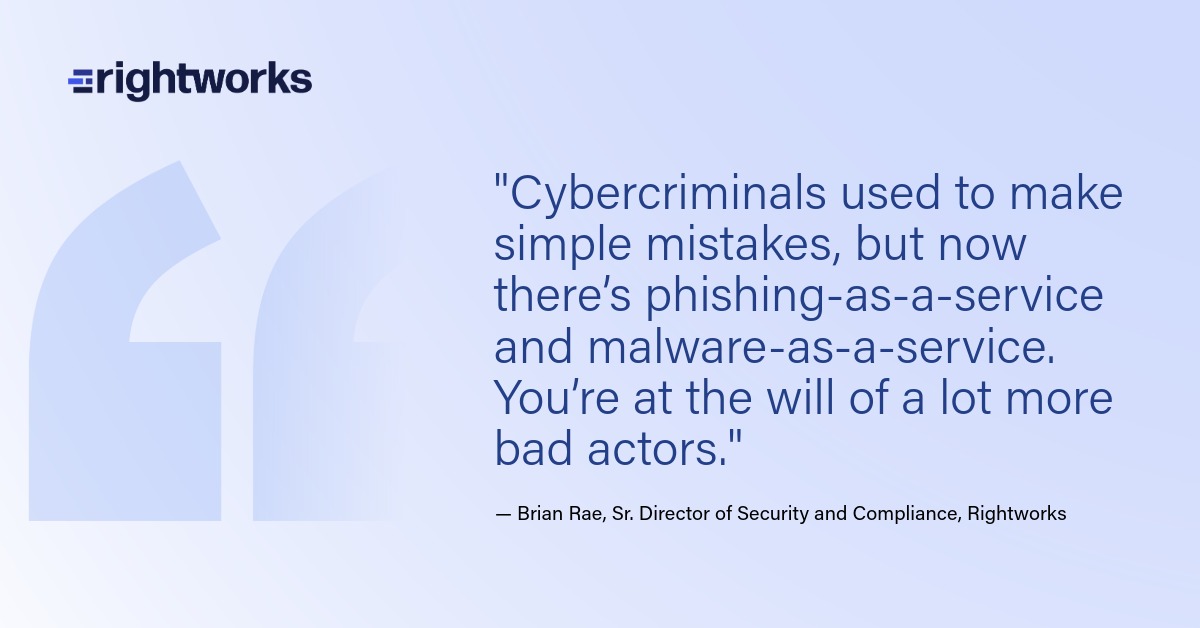
Cybercrime has evolved from amateur hackers to sophisticated service providers. Professional criminals now offer “phishing-as-a-service” and “malware-as-a-service” platforms, complete with technical support and marketing operations.
These services make it easier than ever for attackers to target your business with professional-grade tools that are harder to detect.
5. DDoS Attacks
The Problem: Attackers can shut your business down without touching your data
A Distributed Denial of Service attack floods your servers or website with so much traffic that legitimate customers can’t reach you. Unlike large enterprises, small businesses typically can’t absorb these attacks due to limited infrastructure. Attackers sometimes use DDoS as a smoke screen—while your IT team scrambles to restore service, others quietly probe for additional vulnerabilities.
The Risks and the Cost
With 70% of small business owners believing cyberattacks are a top threat to their organization, it’s surprising that a majority (60%) don’t have a formal process to identify a cyber risk.
The average cost of a ransomware attack for small businesses is $50,000, with 1/3 paying over $100,000—enough to permanently damage many small companies. And customers pay attention to cybersecurity issues, too. More than one in three stopped doing business with a company that suffered a data breach.
The numbers don’t lie—cyberattacks are costly, disruptive, and potentially fatal to a small business. But knowing the risks is only half the battle. The real question is: what can you actually do about it?
Action Plan: 5 Steps to Protect Your Business
Despite all the scary statistics, there is hope. You can protect your critical data and keep your business safe by following these five essential steps:
1. Prioritize Employee Security Training
According to Verizon’s Data Breach Incident Report, 74% of all data breaches involve the human element. Without a doubt, training your employees about the threats they could face at work is the single best cyberattack prevention tactic.
When setting up your cybersecurity training, don’t forget to—
- Train employees to recognize sophisticated phishing attempts.
- Implement regular security awareness programs (not just one-time training).
- Establish protocols for verifying unusual requests, especially involving financial transactions.
- Conduct simulated phishing tests to identify vulnerable employees.
Free Download → The Ultimate Cybersecurity Guide
2. Implement Technical Safeguards
A layered security technology strategy ensures your devices (laptops, workstations, phones, networks) are protected from a variety of threats.
Here’s what experts recommend:
- Deploy multifactor authentication for all accounts that support it.
- Use password managers company-wide to ensure strong, unique passwords.
- Keep all software and systems updated with the latest security patches.
- Install comprehensive email filtering solutions.
- Enable dark web monitoring for company credentials.
- Access software and applications from the cloud.
3. Ensure Your Data Is Backed Up Regularly
Some cyber attackers will hold your data hostage and issue an ultimatum: Pay a hefty sum, and they’ll return your critical information. Even then, some victims don’t get their data back after forking over a ransom.
When you back up data off-site through a partner that specializes in protecting critical information, you effectively neutralize the impact of ransomware. After all, if you can still access your data after a bad actor claims to have stolen it, you don’t need to pay a ransom to get it back.
Familiarize yourself with the 3-2-1 backup rule and the shared responsibility model to ensure your data stays safe and available.
4. Limit Employee Access to Sensitive Information
The issue with which pieces of data employees can and cannot access isn’t so much one of trust. Rather, it’s a pragmatic cybersecurity concern. If a cybercriminal does manage to breach an employee’s account, you can limit the information the attacker has access to by limiting what the employee has access to in the first place.
- Implement the principle of least privilege (i.e., employees only access what they need).
- Create a process for quickly revoking access during offboarding.
- Conduct regular access reviews to identify and remove unnecessary permissions.
- Use role-based access control to standardize permissions.
In one survey, almost half of respondents said they believed former employees and contractors still had access to business data. That’s a potentially dangerous situation for any business.
5. Partner with Cybersecurity Experts
- Consider outsourcing security monitoring to specialized providers.
- Migrate critical applications to secure cloud environments.
- Develop and regularly test an incident response plan.
- Schedule regular security assessments to identify vulnerabilities.
Consider partnering with a company that will back up and protect your critical information around the clock. As much as we wish it wasn’t so, your small business is in the crosshairs of cybercriminals. With the right partner personalizing your cybersecurity, you’ll undoubtedly keep your business’s data safe.
How vulnerable is your small business? Take our 1-minute Security Risk Quiz
Stay one step ahead of cybercriminals. Subscribe to our blog for weekly security insights delivered straight to your inbox.
