
PTIN Renewal and Your WISP: A Complete Guide for Tax Preparers
Key Takeaways
- PTIN renewal for the 2027 filing season opens in mid-October 2026, and all PTINs expire December 31.
- The renewal asks preparers to acknowledge the legal requirement to maintain a data security plan.
- Under the FTC Safeguards Rule, that plan is your written information security plan, or WISP.
- A quick check before you renew can confirm whether your WISP is current and accurate.
- If you don’t have a WISP yet, use this template to create one before filing season starts.
It’s October: officially PTIN renewal time. The IRS opens renewal for the coming filing season in mid-October, and every current PTIN expires on December 31. If you’re renewing in late 2026 for the 2027 filing season, most of the process will feel like a quick administrative task.
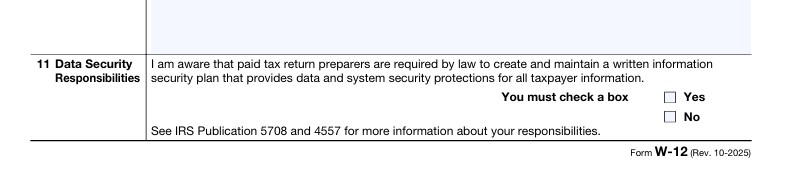
As part of the PTIN application and renewal, paid preparers must confirm that they’re aware of their legal obligation to have a written data security plan. That confirmation goes on record with the IRS.
This post covers:
- What PTIN renewal involves
- What the PTIN WISP requirement actually means
- How to make sure your firm’s written information security plan (WISP) holds up
PTIN Renewal at a Glance
Who needs to renew
Anyone who prepares or helps prepare federal tax returns for compensation must have a valid PTIN. That includes CPAs, enrolled agents, attorneys, and unenrolled preparers. If you prepare returns for pay, renewal is required every year, regardless of how many returns you file.
When to renew
The renewal window for the 2027 filing season opens in mid-October 2026. Every PTIN expires on December 31, so renew before then to avoid any gap. Preparing returns for compensation with an expired PTIN can lead to penalties.
How to renew your PTIN online
Most preparers renew online through the IRS PTIN system, which typically takes about 15 minutes. Paper renewal is available using Form W-12, but it takes considerably longer to process, so leave several weeks if you go that route.
What it costs
The IRS charges a renewal fee ($18.75 in 2026), and the amount can change from year to year. Check the current fee on IRS.gov before you renew.
Related renewals to keep in mind
- Enrolled agents: Enrollment renewal follows a three-year cycle based on the last digit of your Social Security number. For those due this cycle, the renewal window runs from October 1, 2026, through January 31, 2027.
- Annual Filing Season Program participants: Continuing education requirements must be completed by December 31 to receive a Record of Completion for the coming season.
PTIN Renewal Security Requirements: What You’re Confirming
The data security plan referenced in the renewal is your WISP.
The Gramm-Leach-Bliley Act (GLBA) defines financial institutions broadly enough to include professional tax preparers. That places them under the FTC Safeguards Rule, which requires covered firms to develop, implement, and maintain a written information security plan that describes how they protect customer information.
The requirement applies to firms of every size, from seasonal solo preparers to large multi-office practices.
Firms that maintain information on fewer than 5,000 consumers are exempt from a few of the rule’s more formal elements, such as the written risk assessment, the written incident response plan, and an annual written report to leadership—but they still need a WISP.
The PTIN acknowledgment doesn’t create a new obligation. It simply puts an existing one in front of you each year. The practical risk comes after an incident. If your firm suffers a breach and it turns out no plan existed, or the plan didn’t reflect how the firm actually operated, that acknowledgment is part of the record.
Why It Matters Beyond the Checkbox
A WISP isn’t just a compliance document. It’s the playbook your firm follows to keep client data safe and recover when something goes wrong. Firms without one tend to discover the gaps at the worst possible time.
The consequences of a breach can include:
- An FTC investigation into whether your firm had a required security program.
- Mandatory notifications. The FTC requires covered firms to report security events involving the unencrypted information of 500 or more consumers within 30 days of discovery, and state breach notification laws add their own requirements.
- Disruption to your e-file operations while an incident is investigated.
- Lost clients and reputational damage, which often cost more than the incident itself.
Tax practices remain a prime target because they hold exactly what identity thieves want: Social Security numbers, bank details, and complete financial histories. The IRS and its Security Summit partners have spent years encouraging preparers to take that risk seriously. The PTIN acknowledgment is one way they reinforce it.
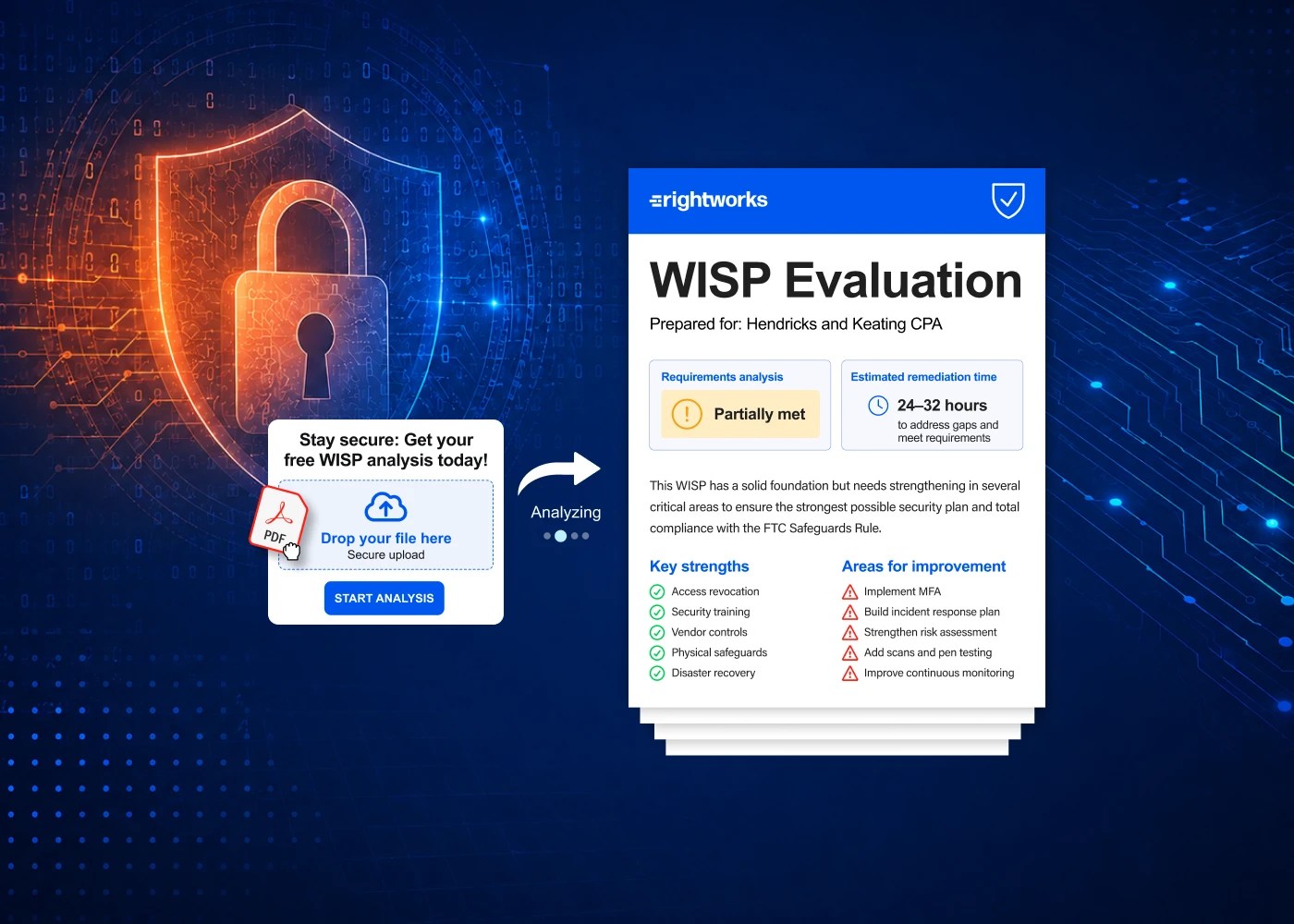
The 30-Minute WISP Check Before You Renew
Set aside half an hour this week and work through these questions. If you can answer yes to each one, renew with confidence. If not, you’ve found your to-do list for the weeks before filing season.
1. Can you find your plan?
Locate the actual document and note when it was last updated. A WISP written several years ago, before your firm added remote staff, changed software, or moved to the cloud, probably doesn’t describe how you work today.
2. Is someone named as responsible?
The Safeguards Rule requires a designated qualified individual to oversee your security program. That should be a specific person, not “IT” or “the office manager.”
3. Is multifactor authentication on everywhere it should be?
Check every system that touches taxpayer data: email, tax software, practice management, client portals, cloud storage, remote access, and banking. Multifactor authentication is required for anyone accessing customer information, and it’s one of the most common gaps firms find.
4. Does your access list match your current team?
Remove accounts for departed employees and last season’s seasonal staff. Confirm that each person has access only to what their role requires. This matters even more if you’re adding seasonal or outsourced help for the coming season.
5. Do you know which vendors touch client data?
List your software providers, IT support, and any outsourcing partners. Your plan should describe how you oversee them and confirm they’re contractually required to protect client information.
6. Do you know who to call if something goes wrong?
Your plan should include incident response contacts: your IRS stakeholder liaison, the state tax agencies where you file, your cyber insurance carrier, and your IT provider. Keep a copy somewhere that doesn’t depend on firm email or systems.
7. Has your team been trained?
Security awareness training with periodic refreshers is part of the requirement. Keep a simple record of who completed training and when. If any of these gave you pause, you’re not alone. The IRS Security Six is a good place to start shoring up the technical basics, and this FTC Safeguards Rule checklist covers the full set of requirements.
If You Don’t Have a WISP Yet
You can fix this before filing season. Here’s a practical path.
Start with IRS resources
IRS Publication 5708, Creating a Written Information Security Plan for your Tax & Accounting Practice, walks tax professionals through building a plan and includes a sample template. IRS Publication 4557, Safeguarding Taxpayer Data, explains the day-to-day safeguards your plan should describe.
Use a template, then make it yours
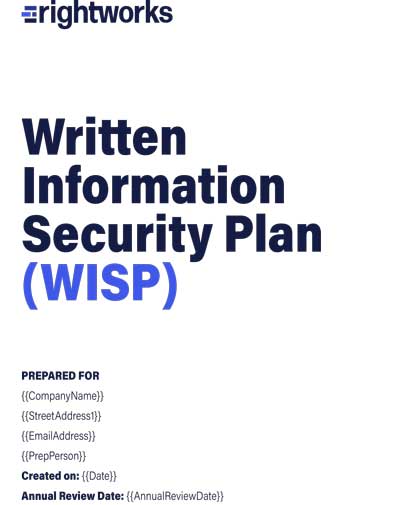
A template saves time, but it only works if you tailor it to your firm. Describe the systems you actually use, the people who actually have access, and the safeguards you actually have in place. A generic plan that doesn’t match reality offers little protection. Rightworks offers a free WISP template built for tax professionals that follows the IRS structure.
Scale it to your practice
A solo preparer’s WISP will look very different from a 40-person firm’s. Focus on accuracy over length. For a step-by-step walkthrough, see how to create your firm’s WISP.
Understand the real cost
The biggest cost of a WISP is usually time, not money. This breakdown of what an IRS WISP actually costs compares doing it yourself with getting help.
Get help if you need it
If you’d rather not build and maintain the plan alone, a managed WISP for tax and accounting firms handles the documentation and keeps it current as your firm changes.
Your Renewal Season Compliance Timeline
PTIN renewal is the perfect trigger for your other year-end compliance tasks.
Here’s a simple timeline to follow:
Early to mid-October
- Run the 30-minute WISP check.
- Note any gaps and assign owners.
Mid-October to November
- Renew your PTIN once the window opens.
- If you’re an enrolled agent due this cycle, submit your enrollment renewal.
- Close the gaps from your WISP check, starting with MFA and access cleanup.
November to December
- Update and re-date your WISP.
- Complete any outstanding continuing education, including Annual Filing Season Program requirements, by December 31.
- Confirm that your e-file application information is current.
December to January
- Set up and secure accounts for seasonal or outsourced staff.
- Deliver security awareness training to everyone, including new seasonal hires.
- Test a restore from backup before the first returns arrive.
During filing season
- Check your PTIN and EFIN accounts weekly, comparing returns filed against your own records to spot fraud early.
Make Your Acknowledgment Count
PTIN renewal takes 15 minutes. Making sure your data security plan is real and current takes a little longer, but it’s time well spent. Run the 30-minute check, close the gaps before filing season, and renew knowing that what you confirmed to the IRS is true. Need help getting your WISP in shape before the season starts? Explore WISP support from Rightworks, or join the webinar From Requirement to Readiness to see how other firms approach it.
FAQ: PTIN & WISP
PTIN renewal for the 2027 filing season opens in mid-October 2026. All PTINs expire on December 31, 2026, so renew before the end of the year.
You can renew once the IRS opens renewal for the coming filing season, which happens in mid-October each year. The deadline is December 31, when every current PTIN expires.
The renewal asks you to acknowledge that you’re aware of your legal obligation to have a data security plan. The obligation to maintain a WISP comes from the FTC Safeguards Rule and applies whether or not you’re renewing. Making sure your plan exists and is current before you renew means your PTIN WISP acknowledgment is accurate.
A written information security plan is a document that describes how your firm protects client information. It covers who is responsible for security, how you assess risk, the safeguards you use, how you train staff, how you oversee vendors, and how you respond to incidents. For the full breakdown, see WISP requirements for accountants.
Yes. The Safeguards Rule applies to tax preparers of every size. Firms that maintain information on fewer than 5,000 consumers are exempt from certain formal requirements, but they still need a written plan.
Failing to maintain a required security plan can lead to an FTC investigation, especially after a data breach. A breach can also disrupt your e-file operations and damage client relationships.
Review it at least once a year, and whenever something significant changes, such as new software, a new office, remote staff, outsourced preparers, or a security incident. PTIN renewal season is a convenient time for the annual review.
IRS Publication 5708 includes a sample template. Rightworks also offers a free WISP template for tax professionals.