

7 Critical Cybersecurity Threats Facing Accounting Firms
- AI-driven phishing and deepfakes can now mimic the voices, faces, and writing styles of people your team trusts, making old verification habits unreliable.
- Ransomware-as-a-service has turned attacks into a subscription business, raising both the volume and the severity of incidents.
- Remote and hybrid work, weak encryption, and unvetted vendors remain some of the easiest ways into a firm’s systems.
- Compliance expectations keep tightening, and firms without a current written information security plan (WISP) face real penalties and lost client trust.
- Before tax season, close the biggest gaps first: EDR on every device, remote wipe for lost devices, and phishing simulations for every employee.
How Attacks on Accounting Firms Have Changed
The tools attackers use have changed faster than most firms’ defenses. Artificial intelligence lets criminals produce convincing scams at scale, ransomware is now something they rent rather than build, and cloud-connected teams widen the surface they can target. Here are the seven threats demanding your attention.1. AI-driven phishing
Phishing is still one of the most common ways attackers get in, but it no longer looks like the clumsy, typo-filled email of years past. Modern campaigns use spoofed addresses that appear legitimate, manufacture urgency, and tailor their messaging to accounting professionals during the busiest points of the year. They also branch beyond email into SMS phishing (smishing) and voice phishing (vishing). What raises the stakes now is artificial intelligence. Attackers now generate flawless, personalized messages at scale (see the example below) and use deepfake audio and video to impersonate partners, clients, and vendors on live calls. A request that sounds exactly like your managing partner asking for an urgent wire transfer is far harder to dismiss, and a single convincing message can open the door to fraud or ransomware.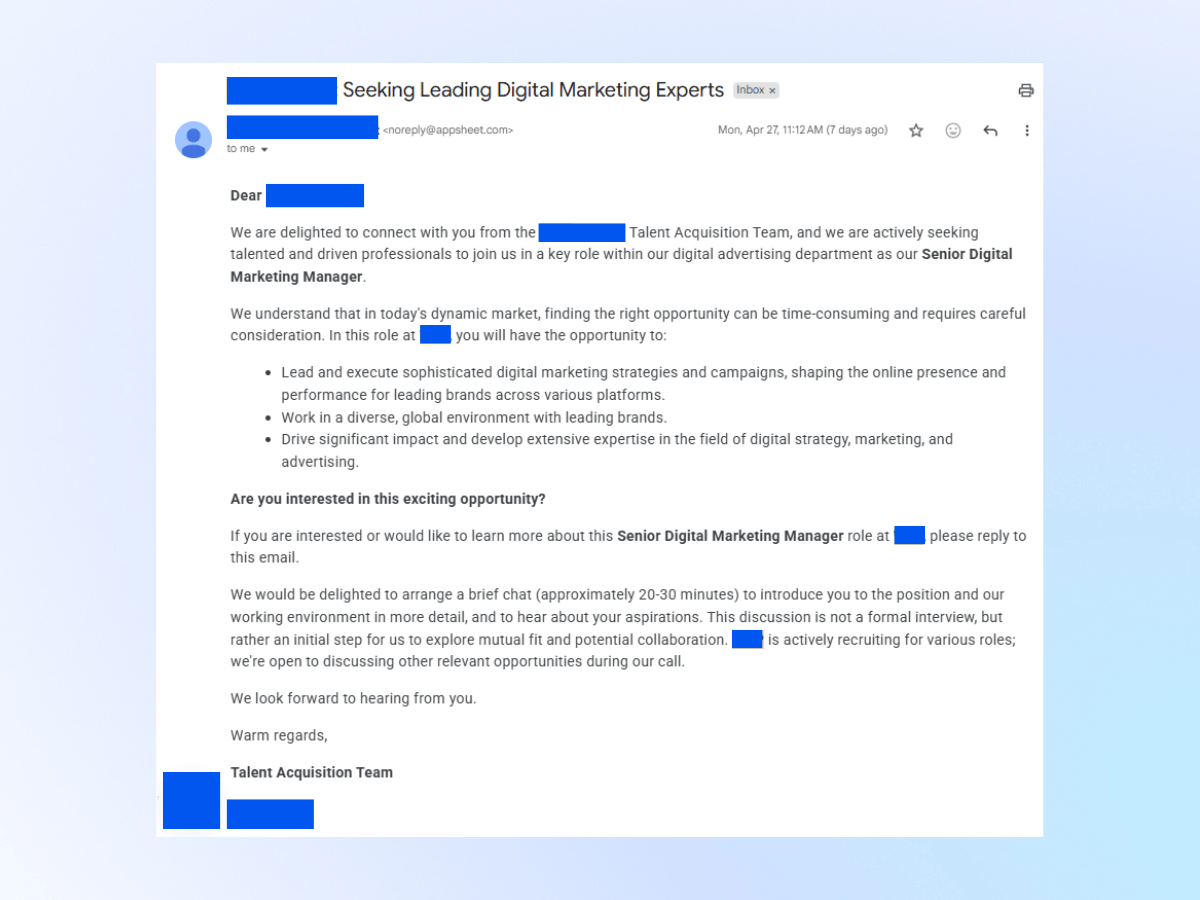
2. Ransomware-as-a-service
Ransomware used to require real technical skill. Now it’s sold as a service. Under the ransomware-as-a-service (RaaS) model, developers build the malware and lease it to affiliates who carry out the attacks, splitting the proceeds. That arrangement has lowered the barrier to entry and pushed both the number and sophistication of attacks higher. The damage has grown too. Newer strains don’t just encrypt your files; they steal sensitive client data first and threaten to leak it, and some are designed to destroy systems outright. Many attacks begin with a phishing message, a stolen credential, or an unpatched software vulnerability. For a firm in the middle of tax season, even a short period of locked-up systems can be devastating, and paying a ransom never guarantees you get your data back intact.3. Unsecured remote and hybrid workspaces
Many firms moved to remote and hybrid work without rebuilding their security to match. Home networks running default router passwords, personal devices without proper controls, and public Wi-Fi connections each create a new way in. When client data lives across dozens of locations and devices, the attack surface grows and consistent policy enforcement gets harder. That combination is one of the most common sources of exposure for firms today, and it directly affects your ability to stay compliant.
4. Weak or inconsistent encryption
Sensitive financial data is most vulnerable when it moves or sits unprotected. Plenty of firms still send client information over unencrypted email, skip secure client portals, or store data on devices and backups that aren’t encrypted. Without encryption in transit and at rest, anything intercepted or stolen is immediately readable. For a firm trusted with tax records and financial statements, that’s a direct path to a reportable breach.5. Third-party and vendor risk
Your security is only as strong as your weakest vendor. Software providers with poor security practices, cloud platforms lacking proper compliance certifications, and weak data-handling agreements all extend risk into your firm, often without your team realizing it. When a vendor with access to your systems is breached, your clients and your regulators will still treat it as your breach. Yet vendor security is one of the most frequently overlooked parts of a firm’s defenses.6. Inconsistent Security Awareness Training
Your people are either your strongest line of defense or your weakest link, and training decides which. One-and-done onboarding sessions, no simulated phishing tests, and no way to measure what employees retain all leave the door open. Most successful attacks still rely on a single human action, such as clicking a malicious link or approving a fraudulent request. Without regular, role-specific training that keeps pace with new tactics, even a well-equipped firm stays exposed.7. Intensifying compliance and regulatory pressure
Every firm handling financial and personal client data has to meet a growing set of requirements, including the FTC Safeguards Rule and the IRS Security Six. As attacks evolve, regulators keep expanding what they expect, and the written information security plan (WISP) that satisfied an examiner a few years ago may no longer be enough. Falling behind carries real consequences: penalties, failed audits, and the loss of client confidence that’s hard to win back.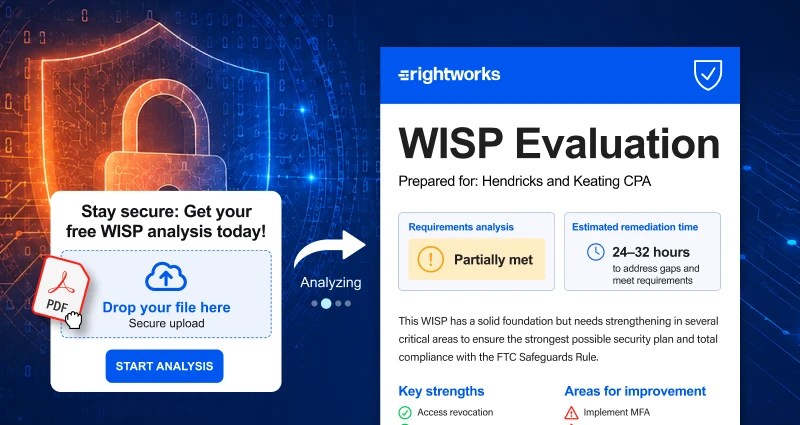
How to Defend Your Firm
No single product eliminates cyber risk, but a layered approach makes your firm a much harder target. These measures give you a practical starting point.- Turn on MFA for every application. Use multifactor authentication (MFA) on every app that touches client data, so a stolen password alone can’t grant access.
- Run ongoing training with simulated phishing. Tailor it to the risks each role faces rather than relying on a single annual session.
- Verify unusual or urgent requests. Confirm any unusual request, especially a financial one, through a second channel, such as a call back to a known number. It’s your best defense against deepfakes.
- Move to managed cloud hosting. Keep client data in a secure, monitored cloud environment instead of on local machines and home devices. Rightworks Total Security adds 24/7 device monitoring, endpoint detection and response (EDR), and other protections built for accounting firms.
- Encrypt data. Encrypt data in transit and at rest, and exchange documents through a secure client portal or document management solution rather than email attachments.
- Vet every vendor. Set minimum requirements for authentication, encryption, audits, and breach notification before you grant access, and review those practices regularly.
- Maintain your WISP. Keep it current, audit it against the FTC Safeguards Rule and the IRS Security Six, and use a free WISP analyzer to find the gaps.
- Test your backup and recovery plan. Follow a proven backup strategy and test restores so you can get back to work quickly if an attack gets through.
Before Tax Season: 6 Security Checks for Your Firm
Tax season is when attackers know firms are busiest and most distracted. Rightworks’ 2026 Accounting Firm Technology Survey of more than 500 firms found that the biggest gaps sit in a few key protections. Close these before the rush starts:- Put EDR on every device. Among firms with layered device security, only 43% have EDR everywhere. Our post on device security for accounting firms covers what to deploy.
- Make sure you can remotely wipe lost devices. Just 44% of firms can wipe a lost laptop or phone today, and tax season is when devices travel the most.
- Run phishing simulations before the rush. Only 58% of firms that train staff also test them with simulations, and busy-season phishing is when a single click costs the most.
- Stop accepting tax documents by email. Set up a secure client portal for every upload, and tell clients exactly how and where to send documents so they can spot fake requests.
- Clean up access. Remove accounts for staff who have left, give seasonal hires only the access they need, and plan how you’ll remove that access when the season ends.
- Confirm backups and patches. Test a restore, apply outstanding updates, and check for unsupported systems. If your office still runs Windows Server 2016, its security updates end January 13, 2027.
Cybersecurity Threats for Accounting Firms FAQ
The biggest threats to accounting firms today are AI-driven phishing and deepfakes, ransomware-as-a-service, unsecured remote and hybrid work, weak encryption, risky vendors, inconsistent Security Awareness Training, and growing compliance pressure. Most attacks still start with a single human action or an unpatched system, so layered defenses matter more than any one tool.
Tax season concentrates exactly what attackers want: Social Security numbers, bank details, and tax returns, moving between firms and clients every day. Staff are busy and under deadline pressure, which makes them more likely to click a convincing link or approve an urgent request without checking it.
Ransomware can lock a firm out of its tax software, client files, and email in the middle of filing season, and many strains also steal client data and threaten to leak it. The firm may face missed deadlines, client notification requirements, regulatory questions, and recovery costs. Tested backups and a written incident response plan are what let a firm restore operations without paying a ransom.
It often can’t tell by looking or listening, which is why process matters more than detection. Verify any unusual or urgent request, especially one involving money or client data, through a second channel you already trust, such as calling the person back at a known number.
Put endpoint detection and response (EDR) on every device, make sure you can remotely wipe lost laptops and phones, run phishing simulations for all staff, and move document exchange to a secure client portal. Then remove access for anyone who no longer needs it and confirm that your backups restore and your systems are fully patched.
